
Loading Dock·Found in 4 sec
Search: white truck at loading dock, 10 PM–2 AM
Three clips matched — delivery truck backed to Bay 2 at 11:14 PM and departed at 11:22 PM.
Search result
Upgrade the recorder. Keep your cameras and wiring. Go beyond object detection with multi-step AI investigations, event search and analysis, and automatic summary reports. Video stays on your network. One-time price. No monthly fee.
You supply the cameras you already have. We supply the recorder and PoE switch. Owl-NVR discovers your streams, connects automatically, and starts recording with smart search and alerts — no SaaS onboarding, no cloud archive.
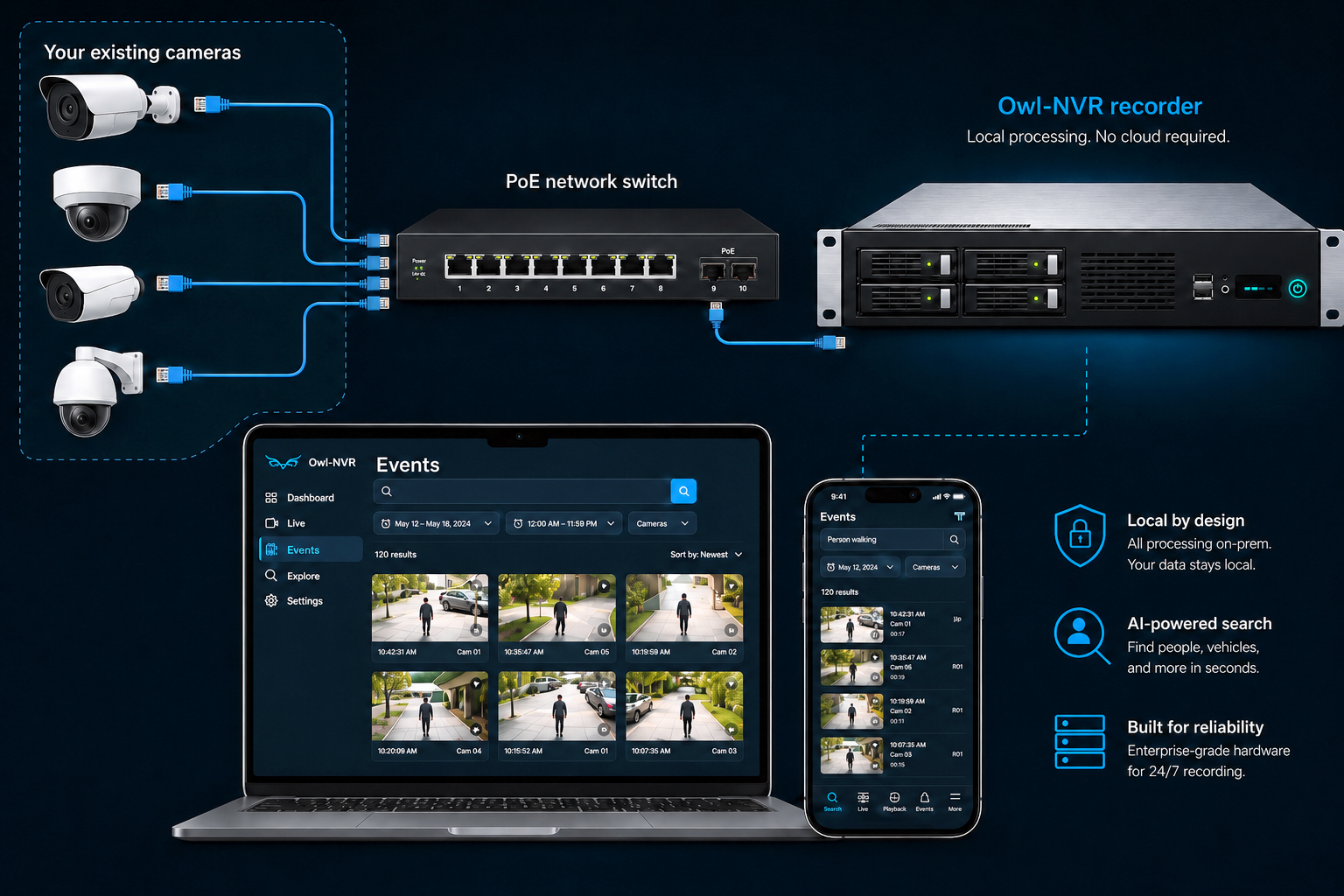
Mount the 2U appliance and connect the PoE switch to your existing network. Your cameras stay where they are.
Owl-NVR scans the network and connects to your existing IP cameras automatically — no RTSP URL hunting, no brand setup.
Same day, your team can search footage, set zone rules, and get meaningful alerts from the cameras you already own.
Need new cameras too? We can supply PoE bullet and dome cameras as an optional add-on — most upgrades only require the recorder and switch.
When something happens, you shouldn’t spend an hour clicking through motion events. Describe what you’re looking for and Owl-NVR surfaces the moments that match — search runs on your recorder, not a vendor cloud.
Type a plain-English query — vehicle color, location, time window — and jump straight to matching clips.
Narrow results to the loading dock, the parking lot, or a single night shift without rewinding hour by hour.
Find every visit from a specific plate alongside your video archive — useful for lots, gates, and driveways.
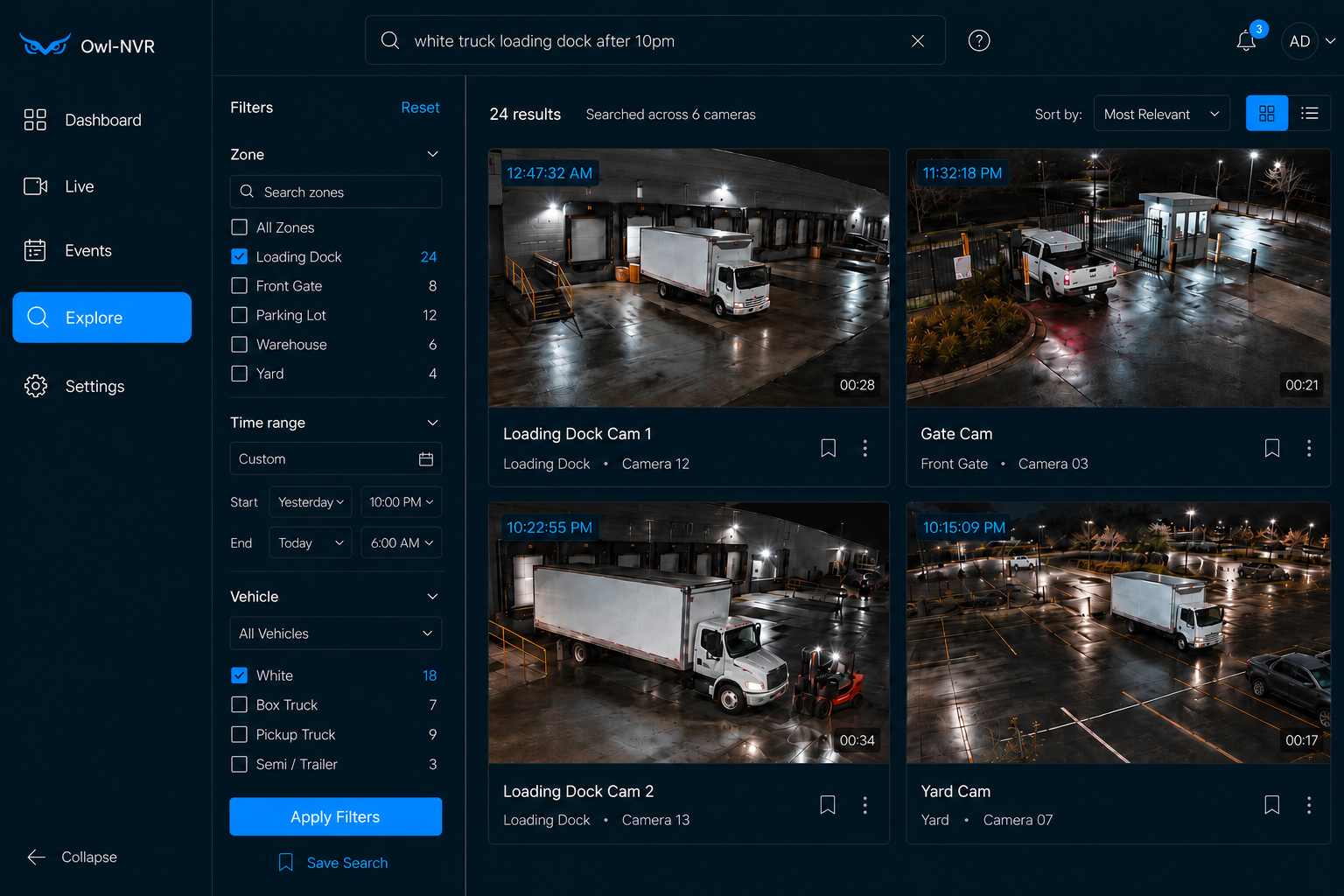
Explore · plain-language search · runs on your recorder
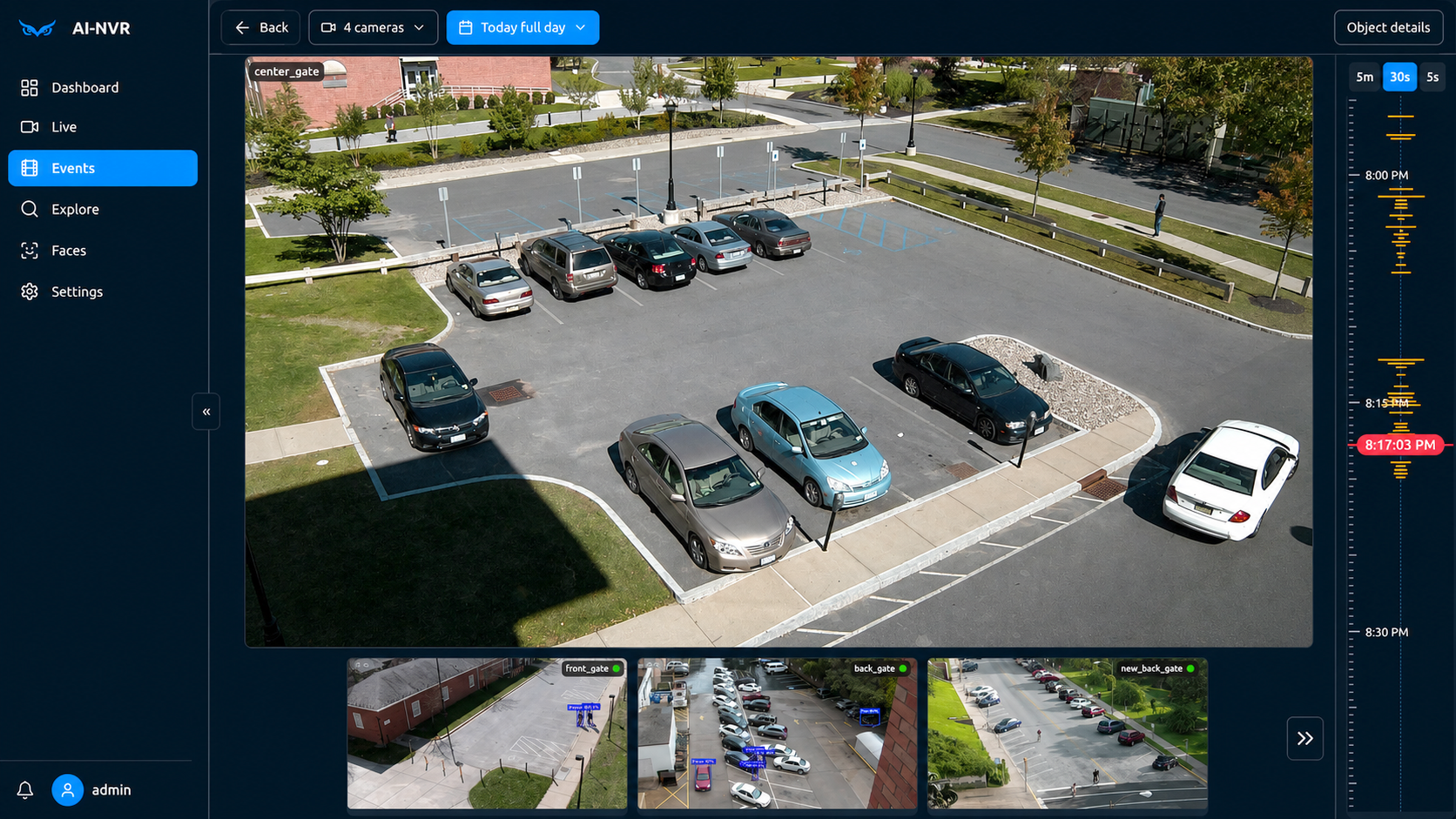
Investigate · summarize · alert — beyond object detection
Most AI cameras only draw boxes. Owl-NVR runs multi-step AI investigations, event search and analysis, and automatic summary reports — so you get answers and overnight recaps, not another pile of motion spam.
Ask what happened, follow related clips across cameras, and dig past a single detection box — the AI helps you reconstruct the event, not just label a frame.
Get written overnight and on-demand recaps: what mattered, what was routine, and what still needs review — before you open the door.
Watch the dock after hours and ignore daytime traffic. Alerts say what happened in plain English — not another generic motion ping.
Owl-NVR is built for businesses that want better search and alerts without handing their video to a SaaS vendor. Everything runs on the box at your site — local LLM/AI, no API fees.
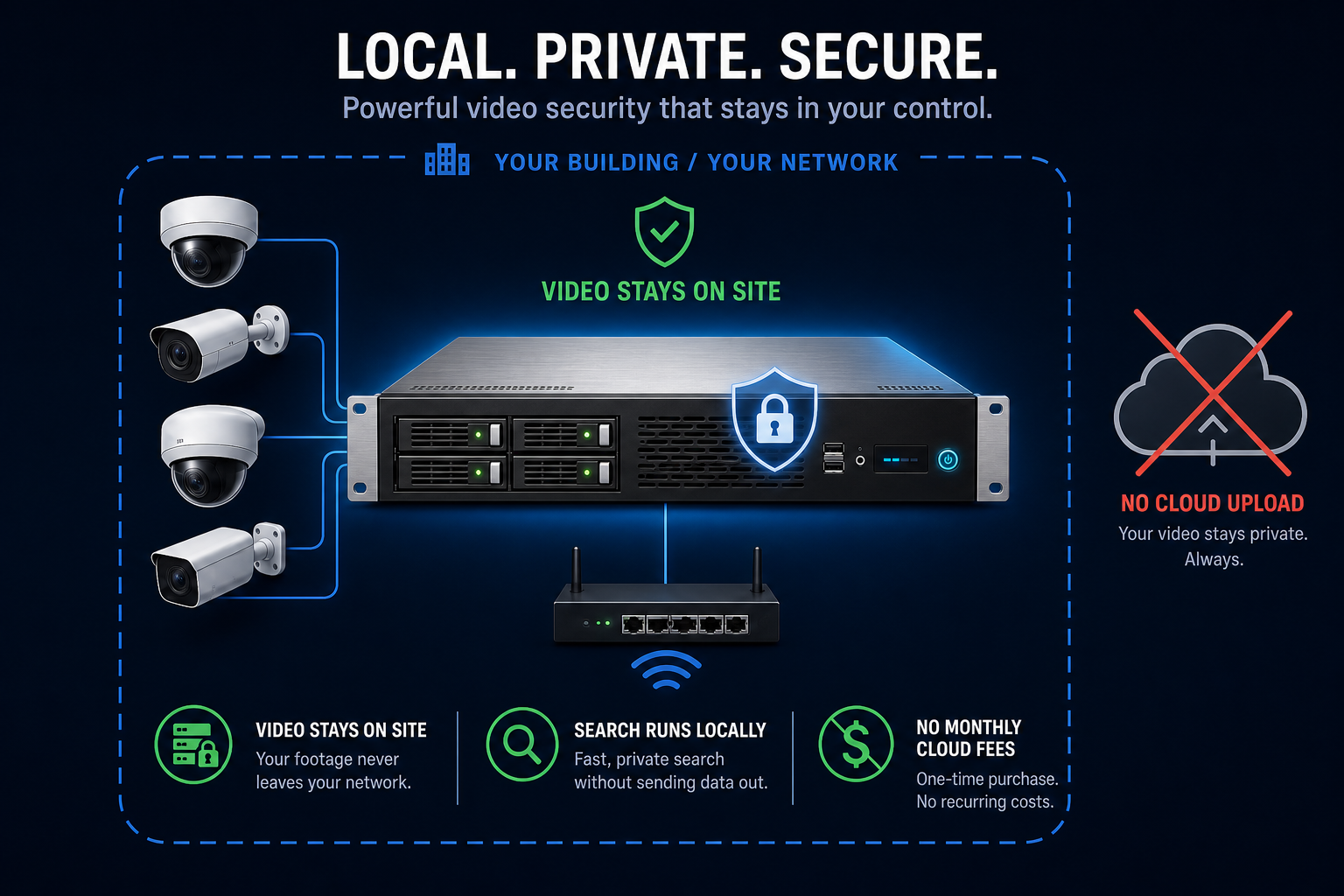
Search, alerts, and recording run on the appliance we install at your location — not on a vendor's servers.
Video is written to local drives on the recorder. Nothing is uploaded to a cloud archive you don't control.
Remote viewing from phone or laptop doesn't mean sending your archive to the cloud. One-time hardware, no monthly recording fee.
Your cameras watch your property. Footage stays in your building and isn't harvested for third-party training.
Most of our customers aren't starting from zero — they have a DVR, a handful of IP cameras, and a growing pile of footage nobody has time to watch. Owl-NVR upgrades what you have.
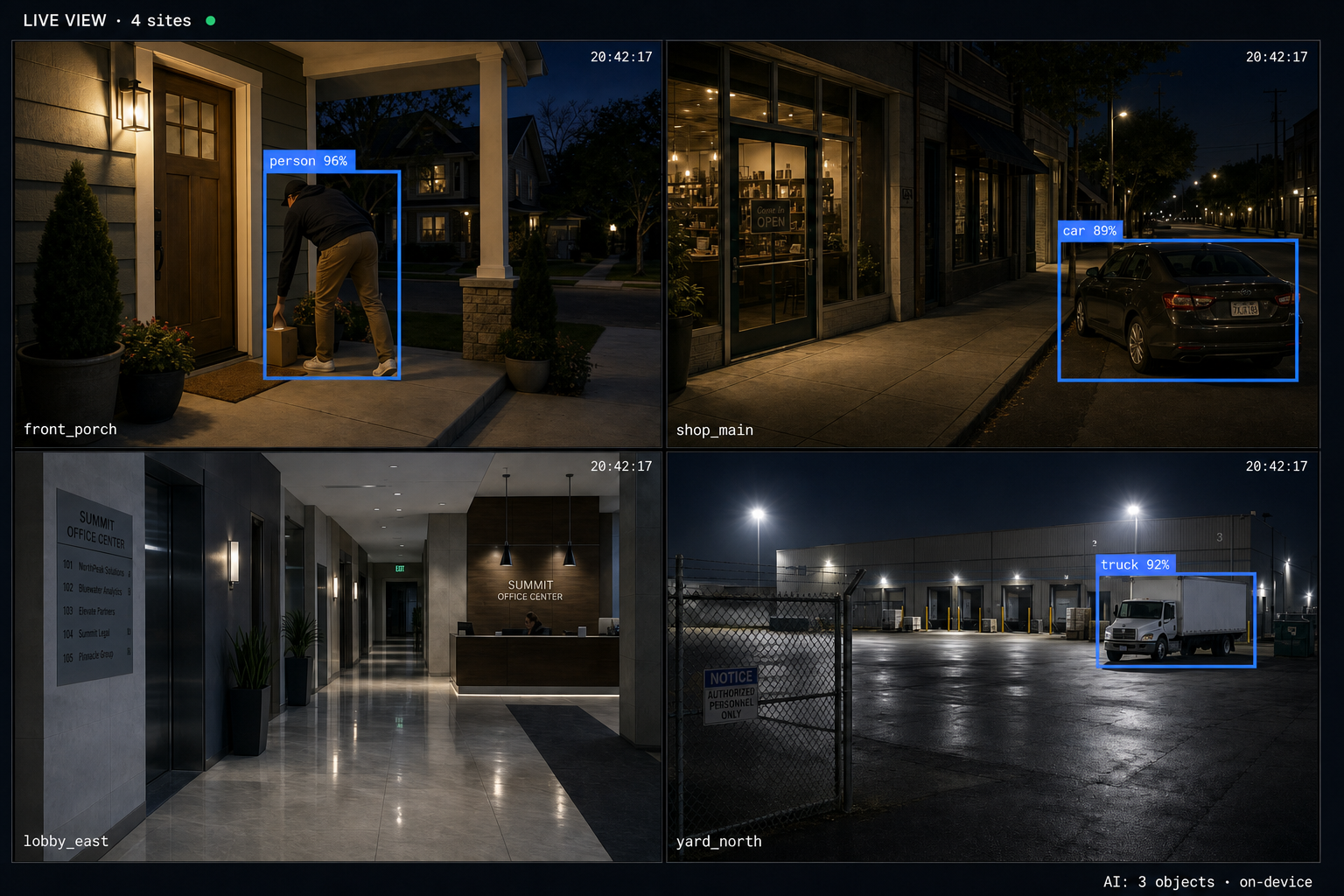
Watch entrances, cash areas, and after-hours activity. Search for a specific vehicle or person instead of rewinding through a full night of motion events.
Big open spaces are where motion-based alerts go to die. Flag only what enters your dock zones or back doors — ignore headlights, wind, and daytime traffic.
One appliance covers entrances, parking, hallways, and common areas. Operators search across every camera from one screen — footage stays on site.
Perimeter cameras you already own get smarter search and fewer false alarms. Find the white truck from Tuesday night without calling your integrator.
Search, review alerts, and watch live video from a wall-mounted monitor, any laptop browser, or your phone — same dashboard, same archive, same network. Included with every upgrade, $0 per month.
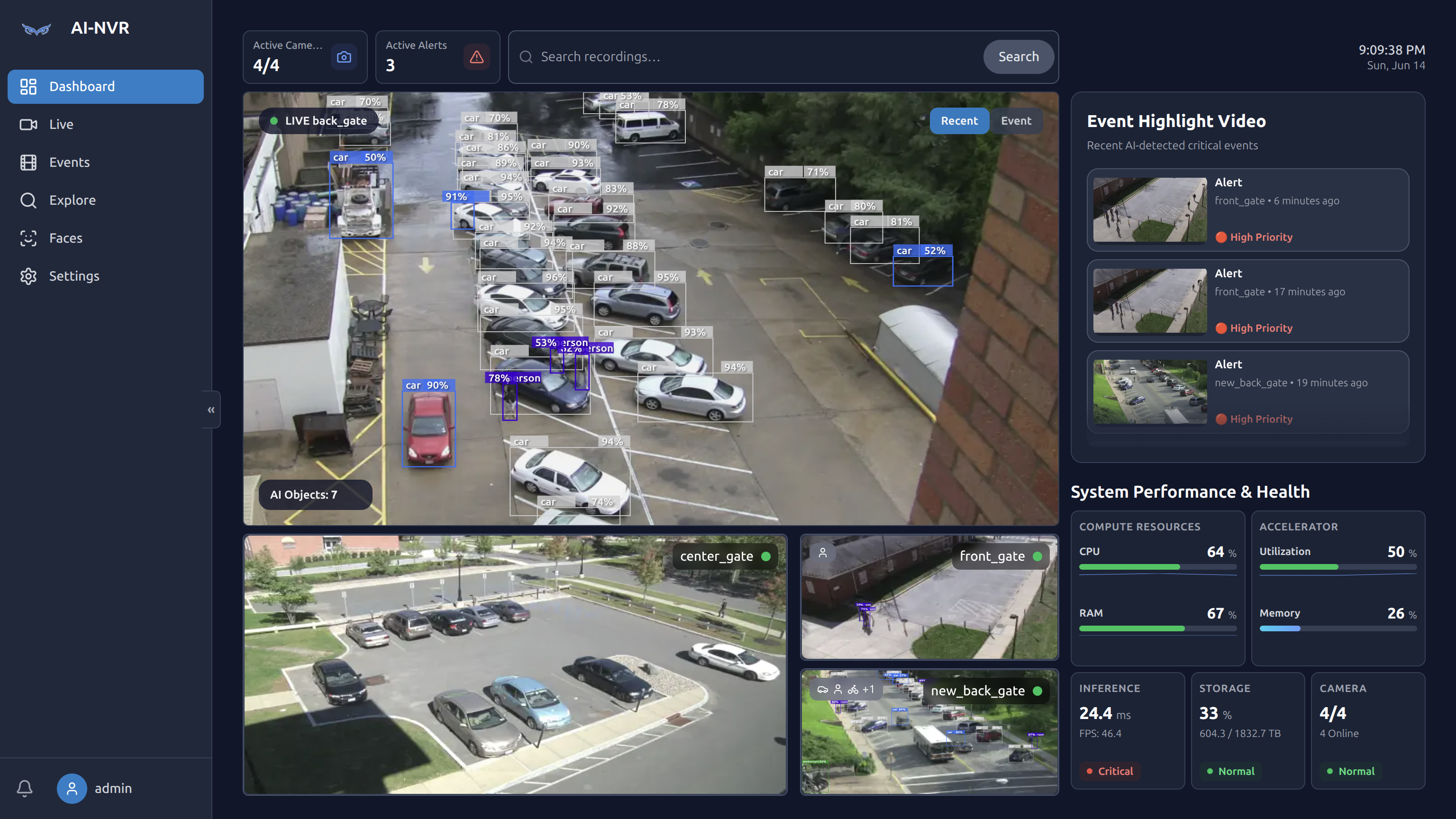
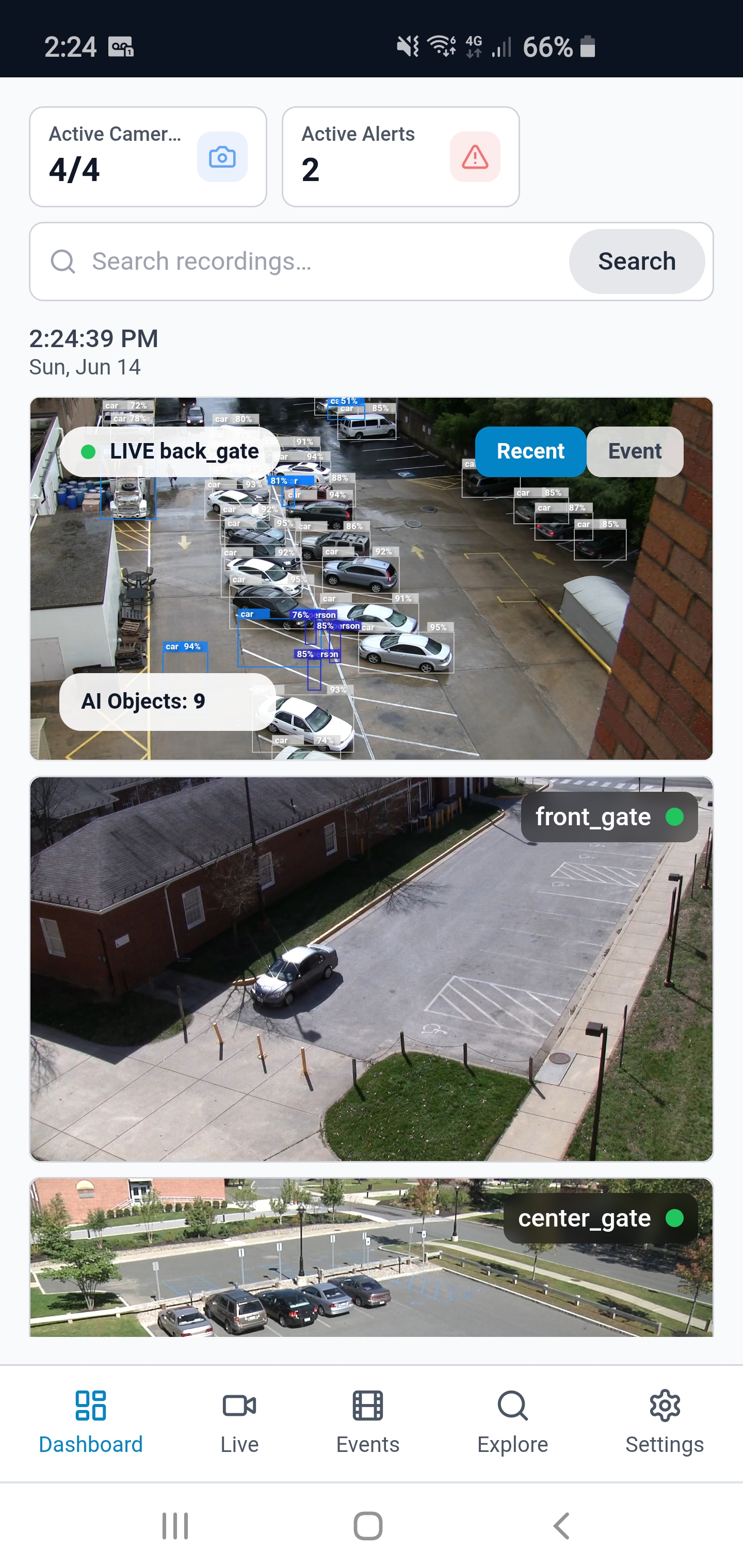
Active cameras, open alerts, and recent highlights — everything worth reviewing on one home screen.
All your cameras in one grid. Same layout on the wall monitor, laptop, and phone.
A timeline of what happened, with plain-language summaries. Filter by severity and mark items reviewed.
Type what you remember — “white truck at loading dock last night” — and jump to the clip.
Camera management, zones, retention, and user accounts — the full admin surface.
Beyond object detection: multi-step AI investigations, event search and analysis, and automatic summary reports — the moments business owners actually need, not another motion ping.
Three clips matched — delivery truck backed to Bay 2 at 11:14 PM and departed at 11:22 PM.
Person entered the back-door zone at 9:47 PM. Daytime employee traffic on the same camera was not alerted.
License plate recognized on Tuesday and Thursday. Jump to any visit from search or the plate filter.
Multi-step review across Side Entrance and Parking Lot — person lingered over a minute, looked toward cameras twice, then left toward the lot. Linked clips ready to open.
Automatic overnight recap before opening: two routine drop-offs at the loading dock and one person near the side entrance after 11 PM.
Headlights and shadows triggered 47 motion events. None matched your after-hours zone rules, so no alert was sent.
Examples shown. Your rules — zones, hours, plates — determine what gets flagged and what stays quiet.
Every package includes the local Owl-NVR appliance, a PoE switch, and remote access from phone and laptop. Already have cameras? You only need the upgrade kit. New cameras are an optional add-on — reach out for a quote.
For a single storefront or small site.
For a warehouse, lot, or multi-area business.
For a facility, campus, or multi-building deployment.
Starter and Pro upgrades checkout securely via Stripe. Enterprise deployments are quoted individually — shipping and tax are calculated at checkout where applicable.
Send us your camera count and we’ll confirm compatibility — or book a 20-minute walkthrough on a live system. One business day, from a human.